Spot On Performance
  • Products
    • SOP Materials
    • SOP Construction
    • SOP Carrier/Dispatch
    • SOP Driver
  • Industries
    • Frac Sand
    • Asphalt
    • Aggregates
    • Concrete
    • Oil & Gas
  • Resources
    • Training
    • Apps
    • E-Ticketing
    • Blog
  • Company
    • About Us
  • Login
  • Products
    • SOP Materials
    • SOP Construction
    • SOP Carrier/Dispatch
    • SOP Driver
  • Industries
    • Frac Sand
    • Asphalt
    • Aggregates
    • Concrete
    • Oil & Gas
  • Resources
    • Training
    • Apps
    • E-Ticketing
    • Blog
  • Company
    • About Us
  • Login
  • Products
    • SOP Materials
    • SOP Construction
    • SOP Carrier/Dispatch
    • SOP Driver
  • Industries
    • Frac Sand
    • Asphalt
    • Aggregates
    • Concrete
    • Oil & Gas
  • Resources
    • Training
    • Apps
    • E-Ticketing
    • Blog
  • Company
    • About Us
  • Login
  • Products
    • SOP Materials
    • SOP Construction
    • SOP Carrier/Dispatch
    • SOP Driver
  • Industries
    • Frac Sand
    • Asphalt
    • Aggregates
    • Concrete
    • Oil & Gas
  • Resources
    • Training
    • Apps
    • E-Ticketing
    • Blog
  • Company
    • About Us
  • Login

Getting Started

7
  • Notifications
  • Setting a Default Plant
  • Mobile Apps
  • Job Search
  • Navigating Work Shifts
  • SOP’s Dashboard
  • Accessing SOP

Administrators

11
  • Plant Setup
  • System Settings
  • Truck Management
  • Customers
  • Carrier Management
  • Driver Management
  • Project Owners
  • Inviting New Accounts
  • Inspection Firms
  • GPS Truck Tracking
  • GPS Setup

Managers

16
  • GPS Setup
  • GPS Truck Tracking
  • Load QC Reporting
  • Backhaul Scheduling
  • Job Setup and Details
  • Job Shift Settings
  • Job Access
  • Production Scheduling
  • Truck Dispatch
  • User Management
  • User Roles
  • Activity Report
  • Performance & Dwell Report
  • Time Report
  • Quality Control Report
  • System Reports

E-Ticketing

3
  • Notes and Pictures
  • Quality Control
  • E-Ticket Reporting

Plant Management

2
  • Dashboard
  • Plant Dashboard

Delivery Management

6
  • GPS Setup
  • GPS Truck Tracking
  • Location and Targets
  • Interactive Unloading
  • Truck Time Cards
  • Load Uses

Material Hauling

3
  • Material Haul Scheduling
  • Loading
  • Interactive Unloading

Drivers

9
  • Job Access
  • Time Cards
  • E-Tickets
  • Interactions
  • Check-In
  • Driver App Install
  • GPS Truck Tracking
  • GPS Setup
  • Driver Coins

Order Management

3
  • Orders
  • Creating an Order
  • Viewing & Editing Orders

E-Tickets & Reports

2
  • Ticket Search
  • Job Ticket Search
View Categories
  • Home
  • Training
  • Managers
  • Activity Report

Activity Report


Overview

SOP offers users the ability to access and view shift reports during ongoing or recently closed shifts.


Accessing the Activity Report

To access the activity report, follow these steps after viewing a shift: Scroll down to the ‘Shift Options’ section at the bottom and click the ‘View Reports’ button. Alternatively, if available, use the ‘Reports’ button in the top navigation menu.
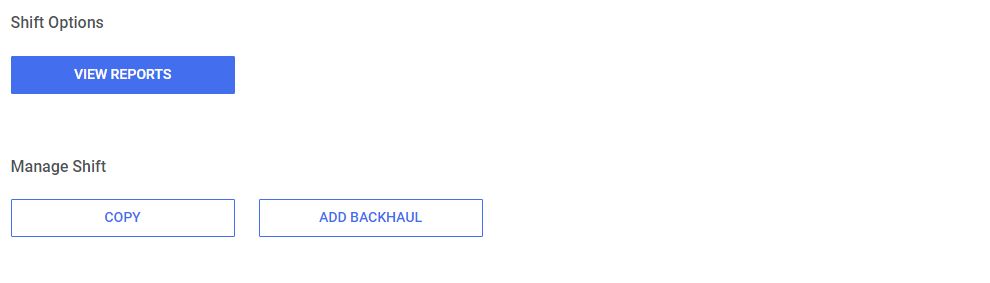
From here, users can click the ‘Activity’ navigation button to access the report.


Quick Statistics

Upon accessing the activity report, users will find two sections that provide a convenient summary of load and shift activity. These sections display the number of loads, notes, and quality control (QC) readings made during the shift. Additionally, users can easily access the quality control report by clicking the ‘Quality Control Report’ button.
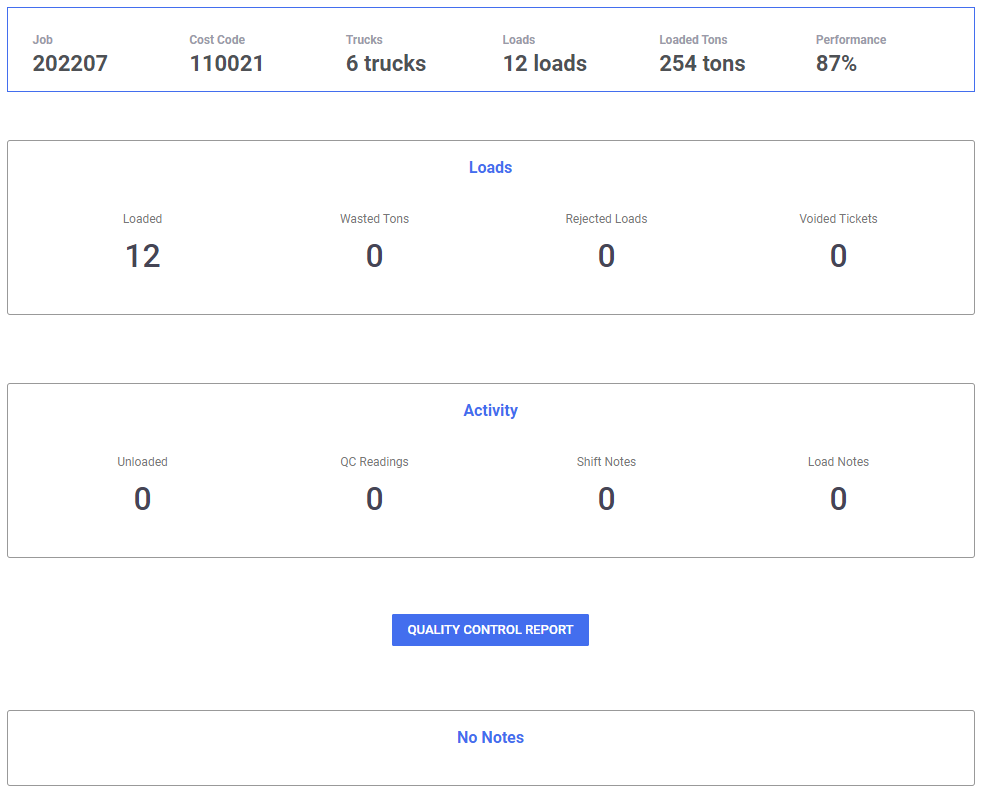
If there are any notes added, they will show here as well.


Tons Per Hour

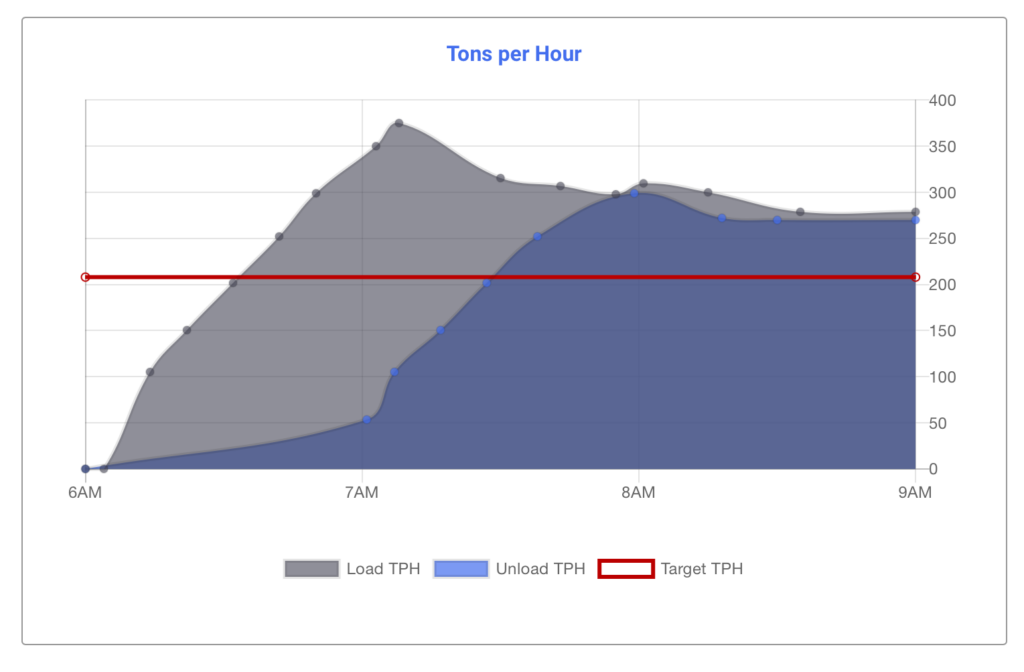
In addition to the activity statistics mentioned above, SOP provides a detailed graph that illustrates the load and unload tons per hour (TPH) in comparison to the shift’s target TPH (if set). The graph’s X-axis represents the shift’s start time to the current time or end time, while the Y-axis displays the tonnage.

By utilizing these features, users can gain valuable insights into shift performance and track progress effectively.
Updated on June 7, 2023

What are your Feelings

  • Happy
  • Normal
  • Sad

Share This Article :

  • Facebook
  • X
  • LinkedIn
  • Pinterest
User RolesPerformance & Dwell Report
Table of Contents
  • Overview
  • Accessing the Activity Report
  • Quick Statistics
  • Tons Per Hour

Subscribe to our Newsletter

Get notified of news and updates first.

    Porto App Landing © Copyright 2023. All Rights Reserved.